🖥️

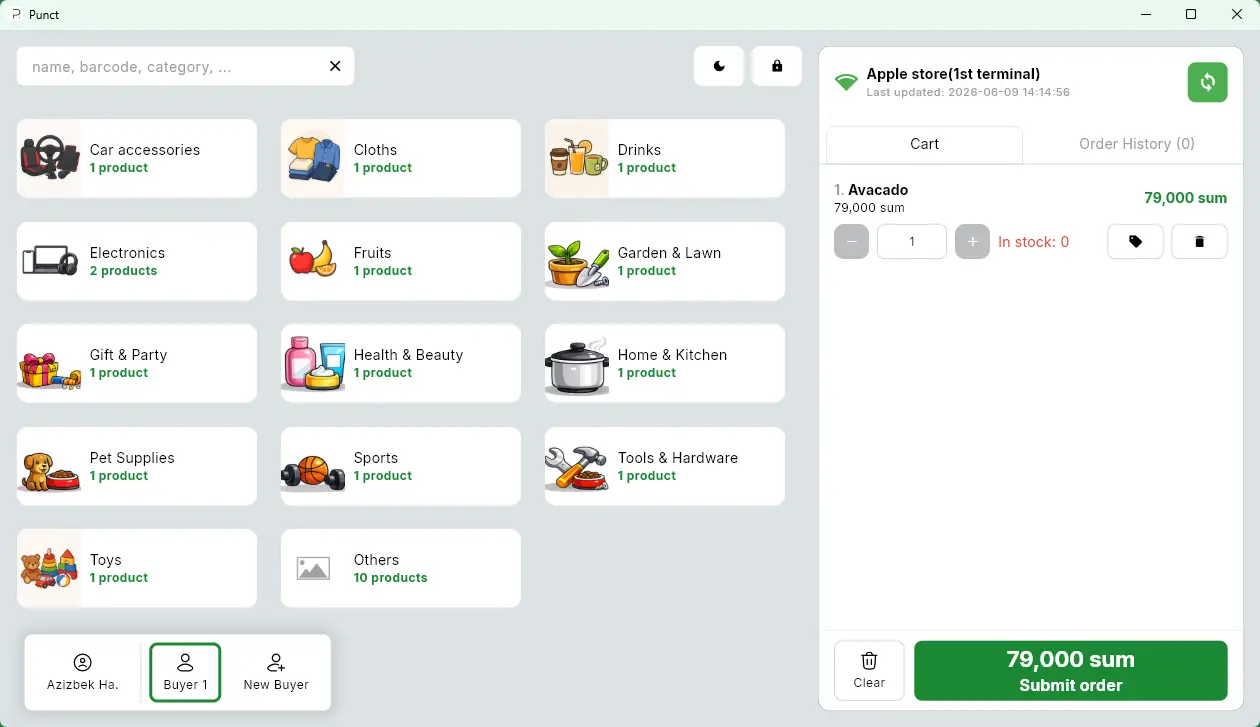
Punct Kassa — a stable cashier app for your PC

Full cashier functionality without browser limitations. The app syncs data to the server automatically at intervals you set.

Windows 10/11 v1.3.5 (EXE) 18.3 MB Free with subscription

Three reasons to choose desktop over a browser

🔄

Flexible background sync

Sales data is sent to the server automatically in the background. Set your own interval — every minute or every 10.

Maximum speed

The app uses your PC's resources directly — the cashier interface opens instantly. No delays when serving customers.

🔌

Direct device connection

Reliable operation with barcode scanners, receipt printers, and scales directly — bypassing browser limitations.

Browser or app?

Both work with your PUNCT account. The app gives you more control where it matters most.

Feature Browser Punct Касса (app)
Works with unstable internet ⚠ Partly
Interface open speed Depends on the browser Instantly
Direct receipt printer support
Barcode scanner support ⚠ Via USB HID ✓ Native
Background sync control
Works without browser tab
Auto-start on PC boot
Analytics & reports
Stock & product management

Runs on any office PC

🪟
OS
Windows 10 / 11
💾
Disk space
~50 MB
🧠
RAM
2 GB RAM
🌐
Internet
Periodically

Frequently asked

Is a separate subscription required?+
No. Punct Kassa is included in any PUNCT plan — Start, Optimal, and Premium. Download it, sign in with your existing credentials, and you're ready.
Can I use the browser and the app at the same time?+
Yes. Data syncs through the server — a manager can work in the browser while the cashier uses the app. Stock and sales update in both places.
What happens to sales if the internet goes down?+
Sales are saved locally on your PC. As soon as the connection is restored, the app automatically sends all queued data to the server. No transaction is lost.
How does the app update?+
The app notifies you of a new version on launch. Updates take about a minute. We don't release updates in the middle of a working day — only during off-hours.
How many computers can I install it on?+
As many as there are terminals in your plan. Each cashier signs in with their own account.
🖥️

Download and launch your cashier in 5 minutes

Install the app, sign in with your PUNCT credentials — and your first sale through the new cashier is ready.

Download for Windows
Windows 10/11 v1.3.5 18.3 MB
Have questions or issues? →

Ready to see it in action?

Set up a 30-minute demo — we'll show you PUNCT on your type of store, answer any questions.